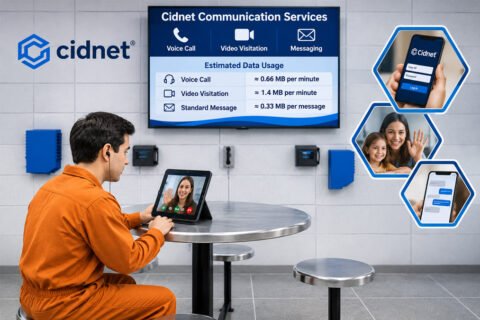
Not being able to receive calls from a loved one who is incarcerated is certainly frustrating. Many Securus users experience similar issues without fully understanding the cause. This is where the question “How Do I Unblock My Number from Securus?” often arises, especially when calls suddenly stop coming in after previously being normal.
This article covers comprehensive, structured, and realistic steps to regain access to your calls. The explanations are written in natural, easy-to-understand language and aligned with best practices to be relevant to both users and search engines.
Why Can a Number Get Blocked on Securus?
Number blocking on the Securus system isn’t always due to user error. There are several common conditions that can cause restrictions. Understanding the root cause will help you choose the most appropriate solution.
Some of the common reasons include insufficient AdvanceConnect funds, unpaid Direct Bill balances, spending limits being reached, or a phone number that has recently changed. A number may also be blocked if the user previously requested a block or accidentally selected the blocking option while receiving a call.
Additionally, sometimes blocking occurs due to account settings or restrictions that the user is unaware of. Checking the account status can help identify the reason before choosing the next step.
Recommended First Step: Through Your Securus Account
Many blocking issues can be checked through your Securus account before contacting customer service. The online method is a practical first step when the number was previously blocked through the account settings.
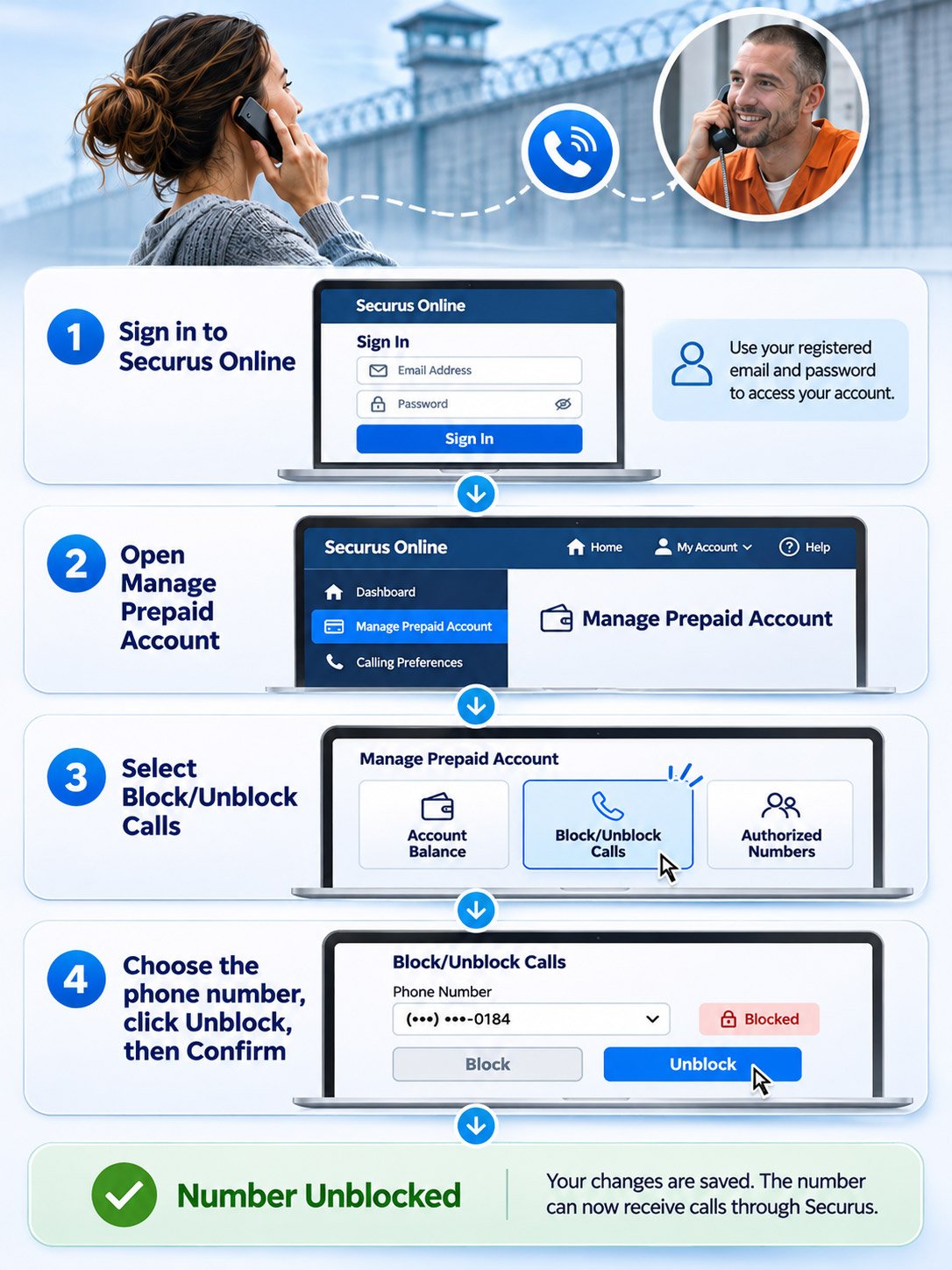
Log in to your Securus account through the official website/app. Make sure you use the registered email address and password. Once logged in, access the prepaid account management section.
At this point, many users finally find the answer to the question “How Do I Unblock My Number from Securus?” simply by managing their account settings themselves.
Basic Navigation Guide
Once in your account dashboard, focus your attention on the call management area. Securus provides a Block/Unblock Calls option for managing phone number restrictions.
-
- Go to Manage Prepaid Account.
- Select Block/Unblock Calls.
- Identify the phone number you want to unblock.
If your number is listed as blocked, select the available option to unblock it and follow the confirmation instructions. Make sure the system confirms your changes.
You can also refer to the official Securus unblocking guide for additional assistance if you have difficulty finding the correct account settings.
After Unblocking: Things to Check
Even if your changes are saved, calls may not resume immediately if another account restriction is still active. Check your account status and make sure there are no outstanding payment issues or spending limits preventing calls.
If the number still cannot receive calls, avoid assuming that the problem is only related to your phone. The restriction may be associated with the Securus account, the phone number, or the correctional facility’s communication rules.
At this point, many users double-check that the “How Do I Unblock My Number from Securus?” solution has been implemented correctly before moving on to more advanced steps.
If Calls Still Don’t Go Through
If after checking your Securus account, calls still can’t be received, the problem may extend beyond the account settings. You should also thoroughly check your device.
Modern phone settings have a built-in blocking feature. Without realizing it, certain numbers can end up on the block list directly on the device.
-
- Check your phone.
- Open settings.
- Go to the Phone or Contacts menu.
- Check the list of blocked numbers.
If a number from Securus or a correctional facility is listed, remove it from the list. Afterward, check whether calls can be received again.
This step can be helpful when users feel they’ve followed all the instructions related to “How Do I Unblock My Number from Securus?” but haven’t seen results.
Contacting Securus Support for Immediate Assistance
In situations which arise the question “How Do I Unblock My Number from Securus?”, sometimes, only the support team can identify and resolve the issue. This is especially true if the block relates to account status, payment, or phone number verification.
Securus provides official contact numbers that can be used depending on the type of phone:
-
- 📞 1-800-844-6591 for landlines and international calls.
- 📞 972-734-1111 for mobile users.
- ☎ Securus Contact Us
When calling, please have important information ready, such as your account number and the blocked phone number. Agents can review the account status, explain the reason for the restriction, and advise you on the steps needed to restore service.
For users who have recently changed their phone number, customer service may need to verify the updated number before explaining the available options.
Beyond Securus, families may also need to complete identity verification on other platforms. This guide explains how to get verified on GettingOut before using its communication features.
Tips to Prevent Recurring Blocking
Once access is successfully restored, it’s a good idea to take preventative measures to prevent similar issues from occurring in the future.
-
- Ensure payments are made on time.
- Update your account details if your number changes.
- Check your account settings regularly.
- Keep your account information accurate and up to date.
These simple habits can help reduce avoidable account issues and keep communication flowing.
Ensure Communication Access Remains Open
Blocking issues are annoying, but there’s almost always a solution. By following systematic steps, users can resolve issues without panic. If all self-service options have been tried, official support is available to assist until the problem is completely resolved. Ultimately, understanding the “How Do I Unblock My Number from Securus?” process will make you better prepared for similar situations in the future.
Frequently Asked Questions
Does unblocking a number on Securus cost anything?
Unblocking a number usually doesn’t incur any additional charges as long as your account is active and free of outstanding balances.
How long does the update process take after a number is unblocked?
It generally takes a few minutes to a few hours, depending on system synchronization.
Can I unblock my account without the app?
You can use the official Securus website through a browser.
What should I do if I forget my account login?
Use the password recovery feature or contact customer service to verify your identity.
Can a number be blocked automatically without notification?
The Securus system can apply automatic blocking without notification, especially if it detects payment issues, verification issues, or out-of-sync account activity.
Can a single Securus account manage more than one phone number?
Yes, but each number has its own status, so one number could be active while another is blocked if the settings are different.

Dani Alfin Pratama, S.Kom., is the founder of Tips Dani. With a background in computer science, education, and information technology, he shares educational information, practical tips, and helpful tutorials to help readers learn and solve everyday problems.